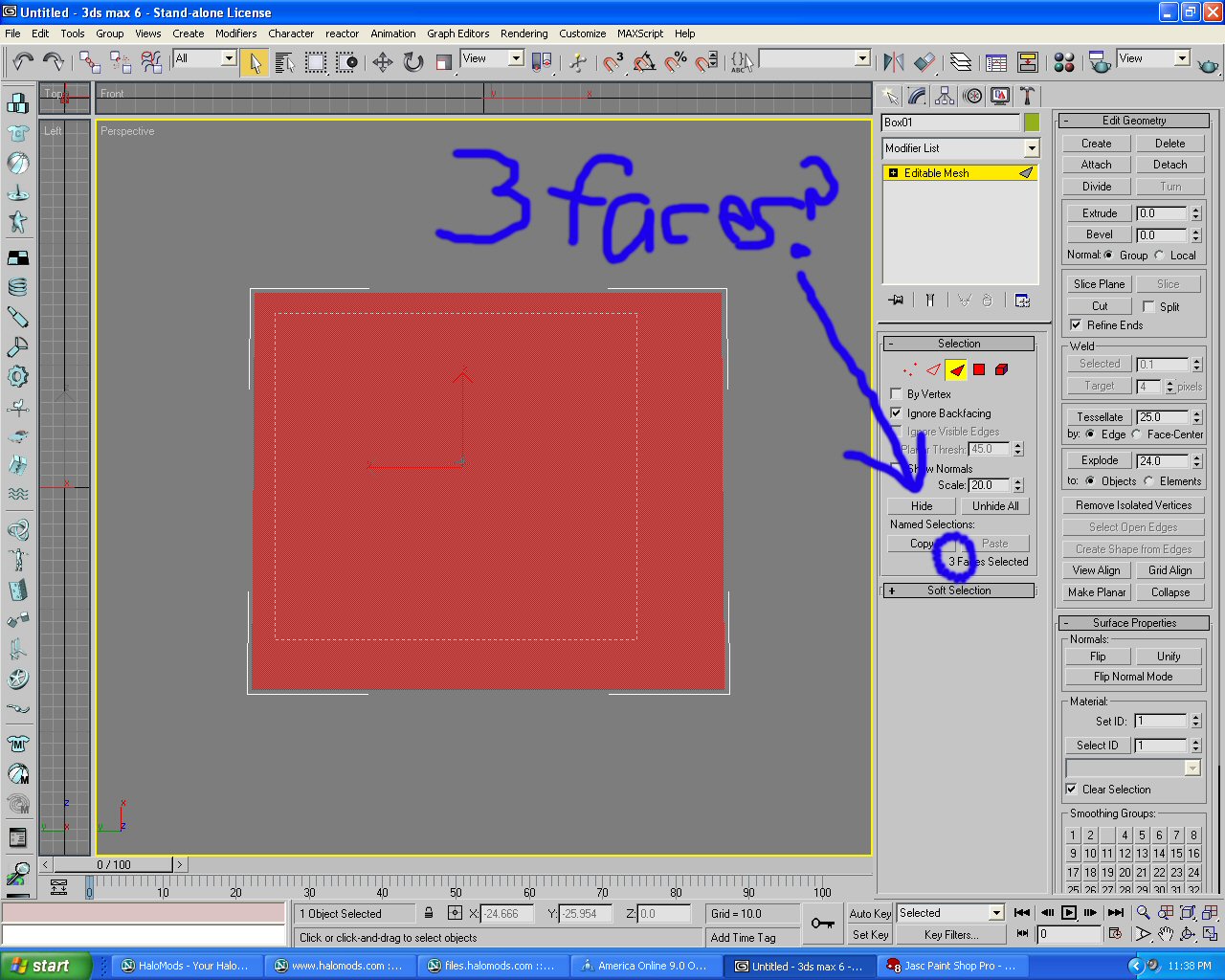
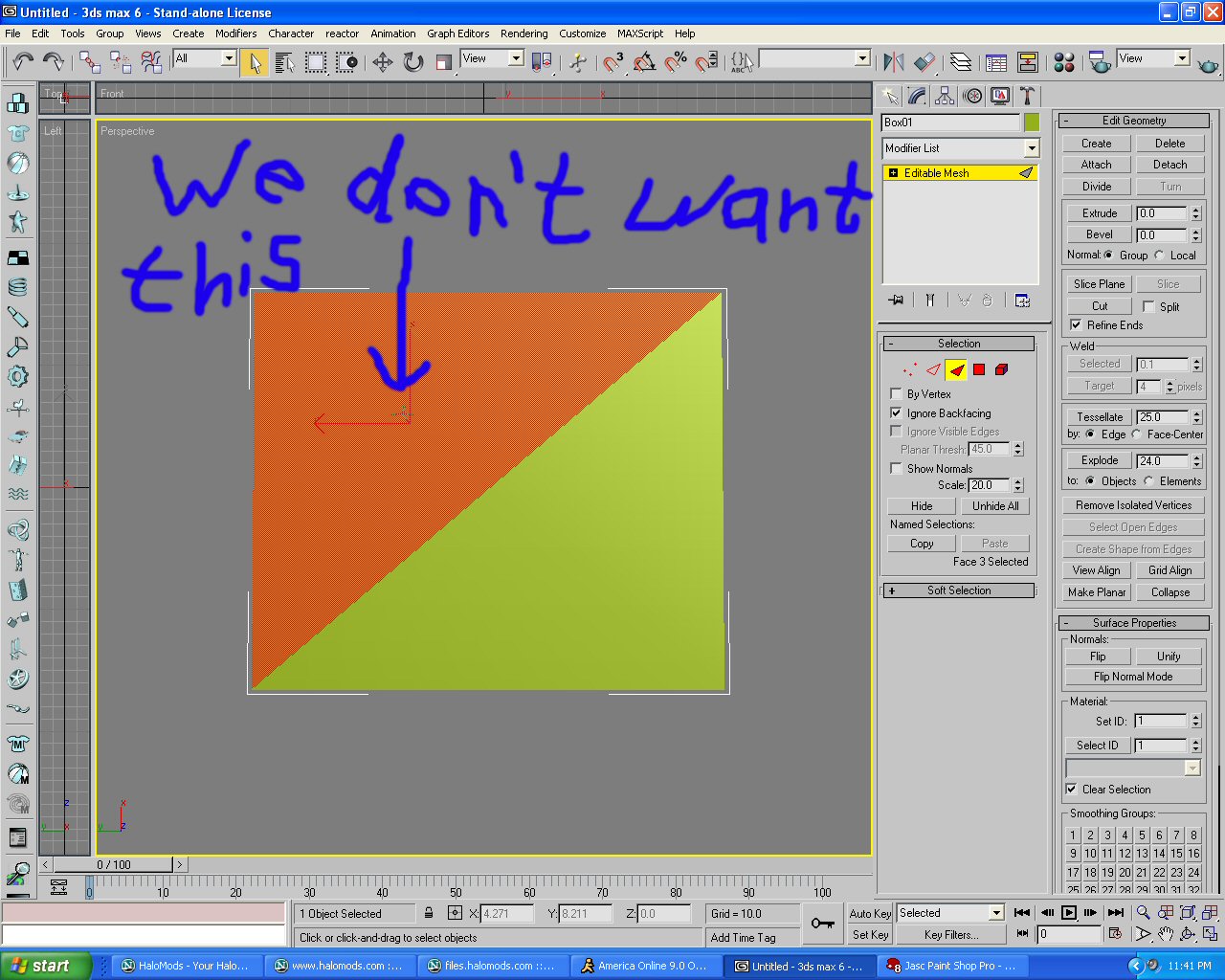
STUPID TOOL SHIT
-
SilverStone641
- Posts: 188
- Joined: Fri May 07, 2004 5:39 am
STUPID TOOL SHIT
-
[users]axem
- Posts: 394
- Joined: Sun Mar 21, 2004 7:15 am
- Location: whatever
|
|
-
SilverStone641
- Posts: 188
- Joined: Fri May 07, 2004 5:39 am
ARGH!
I SWEAR TO GOD TOOL HATES ME! I downloaded everything, urangatang, HEKter, TOOLrunner.exe, TOOLGUI, and straight tool.exe it will never do anything!!!! I'm wondering if i should reinstall HaloCE to get new tool.exe. I dunno. someone help me!!!
-
Patrickssj6
- Posts: 5426
- Joined: Sat Jul 24, 2004 12:12 pm
- Location: I'm a Paranoid
- Contact:
|
|
|
-
SilverStone641
- Posts: 188
- Joined: Fri May 07, 2004 5:39 am
Well i wasn't gettin anything any other way!Gamble wrote:Don't just trust the STL checks, they lie sometimes. What's acceptable by 3ds standards is not always the same as what halo accepts.
Post what errors you are getting so the rest of us can help. Making a post saying tool sux is just spam.
All it does i try to structure it, and bitmap it all that, create scenario, and all it does is say, cannot find toolbeta.map then goes back to the command prompt and waites for my next input. It's like, i just wanna get it into sapien!!!
-
Patrickssj6
- Posts: 5426
- Joined: Sat Jul 24, 2004 12:12 pm
- Location: I'm a Paranoid
- Contact:
|
|
|
-
SilverStone641
- Posts: 188
- Joined: Fri May 07, 2004 5:39 am
eh, then i have the issue of stolen ideas, not that i really think anyone would steal my sh*t.Patrickssj6 wrote:You can sent me the files if you want and i can give it a try!
Email:[email protected]
Man, compared to plethora, i'm like, why do i try??
BTW< plethora is gonna win the map contest!
I might have the solution, when you want to bitmap you type "tool bitmaps levels\mapname\bitmaps" and to structure you type "tool structure level\mapname mapname"
BUT your problem is most likely that you have a space in your mapname, you can't do this. For example: it can't be called Blood Gulch, it has to be called Blood_Gulch or BloodGulch. So you need to rename your folder and you .jms file to not have any spaces
i hope this helps, if you have more questions just post them
BUT your problem is most likely that you have a space in your mapname, you can't do this. For example: it can't be called Blood Gulch, it has to be called Blood_Gulch or BloodGulch. So you need to rename your folder and you .jms file to not have any spaces
i hope this helps, if you have more questions just post them
-
SilverStone641
- Posts: 188
- Joined: Fri May 07, 2004 5:39 am
that makes sense but, i have no spaces, and i've tried using GUI tool programs and i still get nothing. I'll try what you suggested thoughcoodude25 wrote:I might have the solution, when you want to bitmap you type "tool bitmaps levels\mapname\bitmaps" and to structure you type "tool structure level\mapname mapname"
BUT your problem is most likely that you have a space in your mapname, you can't do this. For example: it can't be called Blood Gulch, it has to be called Blood_Gulch or BloodGulch. So you need to rename your folder and you .jms file to not have any spaces
i hope this helps, if you have more questions just post them
I'll keep you posted.
-
SilverStone641
- Posts: 188
- Joined: Fri May 07, 2004 5:39 am
Well, what you said worked (THERE IS HOPE PPL) but now i get #2016 degenerate triangles, then it asks choose shader type for 'none' and lists some options. I kinda guess at which as i do not know what this means. After it does all that, it says
File_Create<'tags\<none>.shader_model'> error 0x0000007b 'The filename, directory name, or volume label syntax is incorrect.'
failed to create new tag '<none>.shader_model'
some shaders were not defined.
Then it comes back to the prompt and waits for another command.
What am i doing wrong now?
File_Create<'tags\<none>.shader_model'> error 0x0000007b 'The filename, directory name, or volume label syntax is incorrect.'
failed to create new tag '<none>.shader_model'
some shaders were not defined.
Then it comes back to the prompt and waits for another command.
What am i doing wrong now?
-
[users]axem
- Posts: 394
- Joined: Sun Mar 21, 2004 7:15 am
- Location: whatever
|
|
#2016 degenerate triangles means that you have 2,0126 degenerate triangles, which isn't good, but you probably just have some faces that aren't connected. I suggest importing the wrl file into 3ds max (then it gives you 3 check boxes, only check the last one) it will show you where your degenerate triangles are.
Now for your material problems. When you create a material in the material editor you give it a name. This name is important, because it looks for a shader with the same name in "tags\levels\yourmap\shaders". If it doesn't find a shader in there then it asks you to create one.
But yours says none, which axem was right about, you didn't give some faces any materials applied to them. You give it a material by making sure that all of the faces you want it on have a the same unique material id number, and then changing the material id in the material editor to the same number.
hope that helps, feel free to ask anymore questions
Now for your material problems. When you create a material in the material editor you give it a name. This name is important, because it looks for a shader with the same name in "tags\levels\yourmap\shaders". If it doesn't find a shader in there then it asks you to create one.
But yours says none, which axem was right about, you didn't give some faces any materials applied to them. You give it a material by making sure that all of the faces you want it on have a the same unique material id number, and then changing the material id in the material editor to the same number.
hope that helps, feel free to ask anymore questions
-
SilverStone641
- Posts: 188
- Joined: Fri May 07, 2004 5:39 am
ok, i'm still having the shader issue, but i'll tackle that later.
As of now, i'm trying to clear up the degenerate triangles.
I did as you said and imported the wrl. It showed my map, and a textureless, colorless copy of it, pointing straight down. I figured this was the degen triangles issue, so i deleted it and saved the max file. then exported the .jms file. I'm still getting the degen triangles issue. What should i be looking for???
thanks
As of now, i'm trying to clear up the degenerate triangles.
I did as you said and imported the wrl. It showed my map, and a textureless, colorless copy of it, pointing straight down. I figured this was the degen triangles issue, so i deleted it and saved the max file. then exported the .jms file. I'm still getting the degen triangles issue. What should i be looking for???
thanks
-
gamble
- Posts: 378
- Joined: Thu May 13, 2004 5:15 pm
- Location: somewhere over the rainbow/not in kansas
if you check your HEK tut (one that came with HEK) it explains better but what it is is a Triangle formed by 3 points in a straight line. Its not really a triangle but thats what max registers it as.
To fix it i would suggest just importing the .wrl file and finding the problem area. Select all the faces of the area BY HAND ONE AT A TIME. see how many faces you have selected. Then click and drag over the area. If you get more faces the second time around you have a degen triangle somewhere in there. Just delete all the faces in the area and remake the faces.
-
SilverStone641
- Posts: 188
- Joined: Fri May 07, 2004 5:39 am
Gamble wrote:if you check your HEK tut (one that came with HEK) it explains better but what it is is a Triangle formed by 3 points in a straight line. Its not really a triangle but thats what max registers it as.
To fix it i would suggest just importing the .wrl file and finding the problem area. Select all the faces of the area BY HAND ONE AT A TIME. see how many faces you have selected. Then click and drag over the area. If you get more faces the second time around you have a degen triangle somewhere in there. Just delete all the faces in the area and remake the faces.
I've almost given up making maps. I figure i to stupid to figure it out anyway. Oh well, thanks for putting up with my sh*t ppl.
here look at these pictures, they explain the basics of a degenerate face
http://www.ryansgreatest.20fr.com/images/image1
http://www.ryansgreatest.20fr.com/images/image2
http://www.ryansgreatest.20fr.com/images/image4
http://www.ryansgreatest.20fr.com/images/image1
http://www.ryansgreatest.20fr.com/images/image2
http://www.ryansgreatest.20fr.com/images/image4
-
SilverStone641
- Posts: 188
- Joined: Fri May 07, 2004 5:39 am
coodude25 wrote:here look at these pictures, they explain the basics of a degenerate face
http://www.ryansgreatest.20fr.com/images/image1
http://www.ryansgreatest.20fr.com/images/image2
http://www.ryansgreatest.20fr.com/images/image4
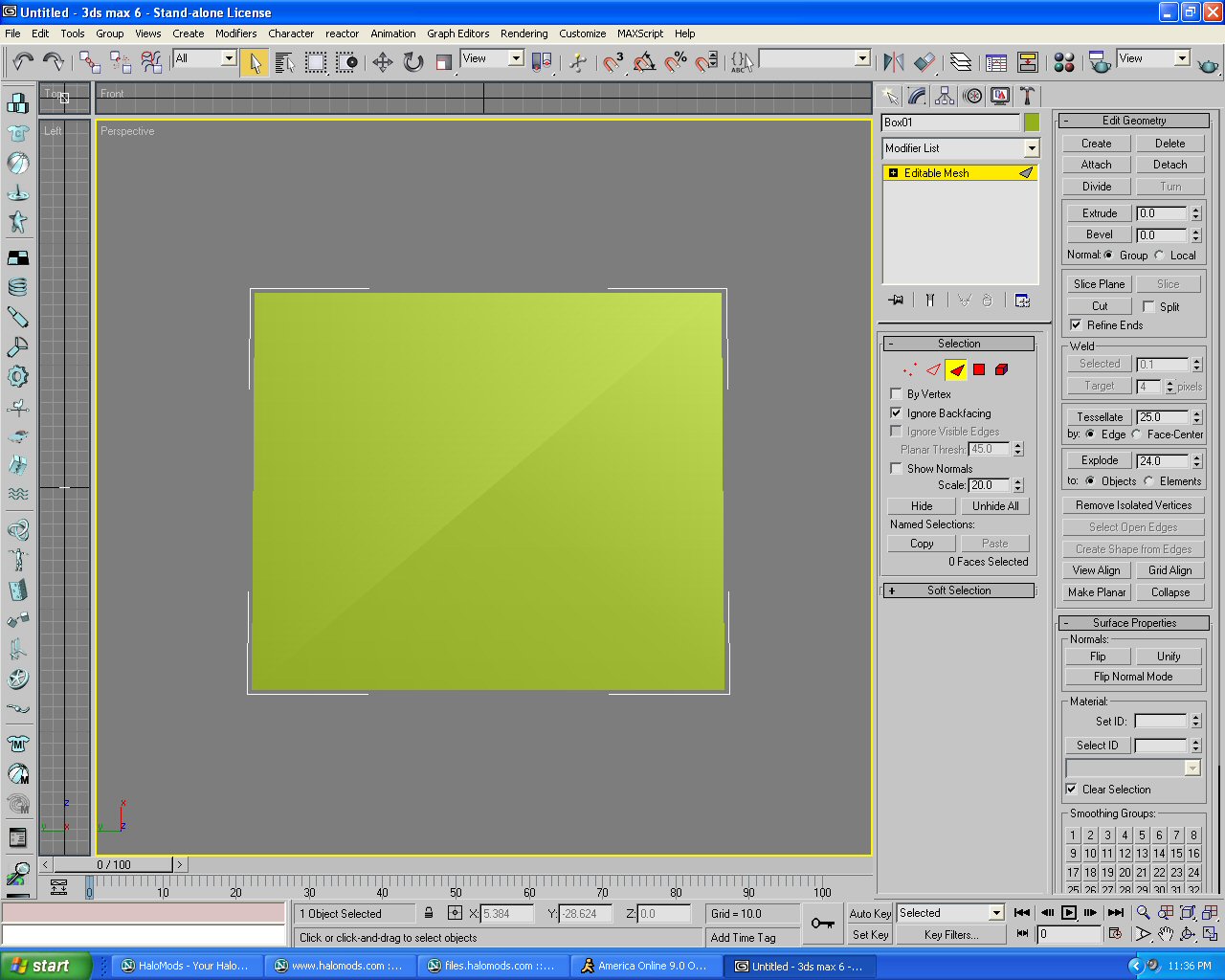
None of those images worked for me. They always said file not found
sorry about that, forgot the .jpg
here:
http://www.ryansgreatest.20fr.com/images/image1.jpg
http://www.ryansgreatest.20fr.com/images/image2.jpg
http://www.ryansgreatest.20fr.com/images/image4.jpg[/url]
here:
http://www.ryansgreatest.20fr.com/images/image1.jpg
http://www.ryansgreatest.20fr.com/images/image2.jpg
http://www.ryansgreatest.20fr.com/images/image4.jpg[/url]
-
winsheild237
- Posts: 24
- Joined: Sat May 15, 2004 11:11 pm